Importing a Last.fm history
Bring years of scrobbles across in one step. They arrive as plays — what you had on, and when — and never as ratings.
Give Risocast a Last.fm username and it reads that listener’s history straight from Last.fm and files it against your account. Nothing is linked and no password is involved: Last.fm serves anybody’s recent tracks to anybody who asks, so a username is all it needs.
You choose how far back to go — the last 200 plays, a thousand, five thousand, or everything up to ten thousand. Running it again later only brings across what is new, so it is safe to repeat.
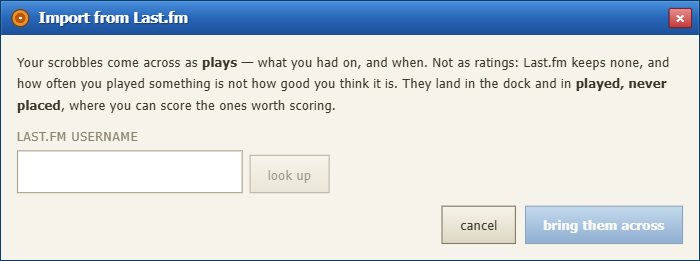
Last.fm holds no scores. It knows what you played and how often, which is a record of what happened, not a judgement about it.
Turning a play count into a rating would be Risocast putting an opinion in your mouth and then ranking your records by it. So an import fills the dock and the played-never-placed list, and every score in your ranking stays one you sat down and gave.
The records you played most turn up under played, never placed on your log, with the number of times you had them on. Rating one there files the log in a click.
Imported plays also feed the weekly disc, the map and the charts, so a log that was empty an hour ago has a shape immediately.
best viewed at 1024×768 · get the desktop app · how this works · charts · privacy