The weekly disc
Every week you listen is cut to a disc: the records you kept going back to, on a CD-R you can print or post.
A disc is one week of listening, made into an object: nine sleeves printed on an inlay, a CD-R lying across it with the week written on in marker, and the records you played most listed underneath.
There is a new one every Monday. The one for the week you spent listening to nothing is a blank disc, which is also a fact about the week.
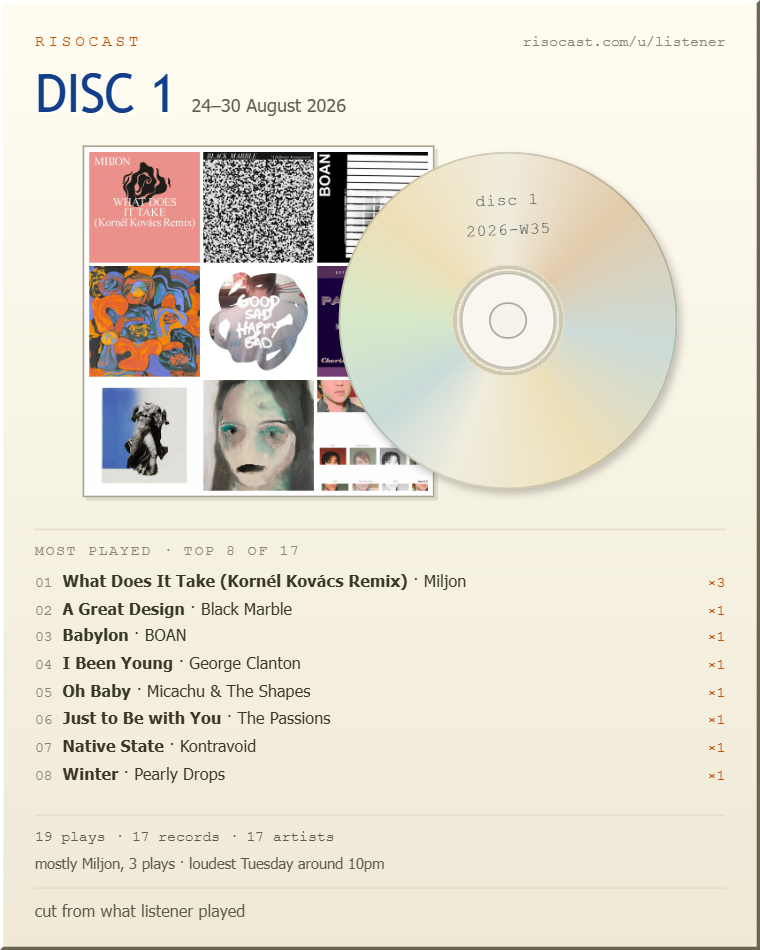
By how often you went back to them. The nine sleeves on the front and the list under them are the same order — most played first — so the covers somebody recognises are the ones the week was actually about.
Under the list is what the week was: how many plays and records and artists it held, how many of them you have never placed, who you spent it with, and the day it was loudest.
There are no listening hours on a disc. There is an obvious way to put them there — multiply the plays by three and a half minutes — and it would be a number the app made up printed next to numbers it did not.
A disc saves as a 1080 by 1350 image, which is the size a portrait post is served at, so what you share is the object rather than a screenshot of a page. It also prints at inlay size, which is what a jewel case takes.
Discs are cut from your own plays, so there is no page of one for anybody else to open. The picture is the shareable thing.
best viewed at 1024×768 · get the desktop app · how this works · charts · privacy