 Lull - Remastered · Song
Lull - Remastered by Radiohead
“Lull - Remastered” is a rock, alternative rock and indie rock song by Radiohead, from the album OK Computer OKNOTOK 1997 2017 (2017).
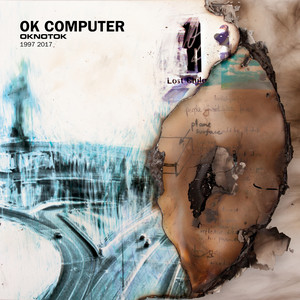
- Artist
- Radiohead
- Released
- 2017-06-23
- Length
- 2:26
- Tempo
- 103 BPM
- Key
- C major
- Listeners
- 100,289 on Last.fm
How it sounds
Mid-tempo, dark and acoustic, in C major.
Measured by ReccoBeats.
More by Radiohead
 Bullet Proof ... I Wish I Was
 Creep
Creep No Surprises
 All I Need
Questions
- What genre is Lull - Remastered by Radiohead?
- Rock, Alternative Rock And Indie Rock.
- What album is Lull - Remastered on?
- OK Computer OKNOTOK 1997 2017, released in 2017.
- When did Lull - Remastered come out?
- 2017-06-23.
- What is the BPM of Lull - Remastered?
- About 103 BPM. Mid-tempo, dark and acoustic, in C major.
- What key is Lull - Remastered in?
- C major.
Risocast is free. Install it once and it logs everything you play.
Updated 6 October 2026
 Risocast Help
A music log that fills itself in. It records the songs you play on your computer and your phone, turns them into your top songs, stats and a public profile, and finds people whose taste overlaps with yours.
Yes. The app and the website are free.
A song counts once half of it has played, or four minutes — whichever comes first. Songs of 30 seconds or less, and videos or podcasts over 20 minutes, never count.
On Windows, anything that shows up in Windows' media controls: Spotify, YouTube Music, Apple Music, Deezer, browsers, foobar2000, Windows Media Player and more (VLC, iTunes and MusicBee through their free media-controls plugin). On Android, any music app — it reads the same now-playing info your lock screen shows. You can also connect Spotify or import from Last.fm.
Yes. Plays are counted on your device and sent when you're back online, and the phone app opens without a connection.
It does the same core job — scrobbling, automatically — without plugins per player, and adds taste matching: see who listens like you and how much your taste overlaps.
Your profile and listening are public so people with similar taste can find you, unless you make your profile private (then only your buddies see it); your email never is. Nothing is sold and there are no ads; anonymous usage analytics (Microsoft Clarity, Google Analytics) show what to improve. See the privacy policy for the details.
More in Help, the guides and the privacy policy.
 Welcome to Risocast
 Risocast
Your music, logged. Your people, found.
A small player that sits in your tray, writes down every song you play, and shows you who listens like you.
243 songs logged today
Android is coming to Google Play. Get notified
How logging works
On Windows, Risocast reads the system media controls, so any player counts: Spotify, YouTube Music, Apple Music, Deezer, browsers, foobar2000. No plugins.
On Android the app reads what any music app is playing (it's coming to Google Play). Anywhere else, connect Spotify or a Last.fm username.
Taste twins
See how much your taste overlaps with anyone's, and find the people who listen most like you. The match comes from what you both actually play, not a list of favourites.
Open PeopleWeekly Disc and Taste Map
Every week becomes a disc of your top songs. Every record you play goes on a map, grouped by genre.
Real ones, from the maker's own listening.
Download Risocast
Risocast is free for Windows 10 and 11. Android is coming to Google Play; on any other device, use the web app with Spotify or Last.fm.
- Version 4.0.9 · Windows 10 and 11 (64-bit) · about 100 MB
- Updates itself: new versions download in the background and install on restart.
- Every installer is published with its SHA-256 checksum on the releases page.
 FeaturesGuides
 Track music on WindowsLog YouTube MusicApple Music statsFind people like youPlayers that workLog VLCLog foobar2000Log MusicBeeiTunes on WindowsLog DeezerLog TidalLog SoundCloudAmazon MusicWindows Media PlayerSpotify historyTop songs of all timeWhat genre is it?Describe your tasteExport your dataComing from Last.fmCompare