 Nice Guys Love You (Vol. 1) · Album
Nice Guys Love You (Vol. 1) by Nice Guys
Nice Guys Love You (Vol. 1) is a hardcore punk, gabber and punk album by Nice Guys, released in 2019, with 22 tracks.
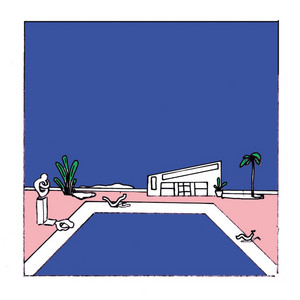
- Artist
- Nice Guys
- Released
- 2019-06-28
- Tracks
- 22 · 84:48
- Listeners
- 79,443 on Last.fm
Tracklist
- 1Alien4:15
- 2For Another One3:11
- 3Shook5:35
- 4Laced Up2:42
- 5Sushi3:41
- 6She's Gone3:33
- 7Go Go2:38
- 8Once in a While4:03
- 9So I Broke Her Heart3:05
- 10Skytop Garden2:34
- 11Again3:48
- 12Makes You Fly6:09
- 13Drinking on My Own4:29
- 14Multitudes so Long4:32
- 15Lost Coast2:28
- 16I Love U - This Is for All My Hopeless Romantics2:56
- 17School Boy3:08
- 18Hometown5:48
- 19It's Only You I Talk to All Day5:06
- 20Honey3:24
- 21Rusty4:10
- 22So Long, Pt. 23:35
Questions
- What genre is Nice Guys Love You (Vol. 1) by Nice Guys?
- Hardcore Punk, Gabber And Punk.
- When was Nice Guys Love You (Vol. 1) released?
- 2019-06-28.
- How many songs are on Nice Guys Love You (Vol. 1)?
- 22, 84:48 in all.
Risocast is free. Install it once and it logs everything you play.
Updated 7 October 2026
 Welcome to Risocast
 Risocast
Your music, logged. Your people, found.
A music diary that writes itself, and a place to find people who love the music you love.
52 songs logged today
On Android: download the app (APK, v4.0.4).
How it works
Play music the way you already do. On Windows, Risocast notices whatever you're playing, in Spotify, YouTube Music, Apple Music, Deezer, your browser or foobar2000, with nothing to set up.
On Android the app does the same for any music app. Anywhere else, connect Spotify or Last.fm.
Taste twins
See how much your taste overlaps with anyone's, and find the people who listen most like you. The match comes from what you both actually play, not a list of favourites.
Open PeopleWeekly Disc and Taste Map
Every week becomes a disc of your top songs. Every record you play goes on a map, grouped by genre.
Real ones, from the maker's own listening.
Download Risocast
Risocast is free for Windows 10 and 11 and for Android. On any other device, use the web app with Spotify or Last.fm.
- Version 4.0.11 · Windows 10 and 11 (64-bit) · about 100 MB
- Updates itself: new versions download in the background and install on restart.
- On Android: download the app (APK, v4.0.4).
- Every installer is published with its SHA-256 checksum on the releases page.
 Risocast Help
A music diary that writes itself, and a place to find people who love the music you love. Play music anywhere (Spotify, YouTube, your phone) and Risocast remembers every song. Each week it presses your listening onto a Weekly Disc you can share, and it introduces you to your taste twins: people whose music matches yours. Free, no ads, and it looks like Windows 98.
The people whose music matches yours most. Risocast compares what you actually play, not a list of favourites, and shows how much your taste overlaps with anyone's, so you can find them, see what they're playing and say hello.
Your week in music, pressed onto a CD: a ring for each song you played most, coloured from its cover. It's made fresh every week, to keep or share.
Yes. Risocast is free, with no ads, and nothing you play is ever sold.
Almost certainly. Spotify, YouTube Music, Apple Music, Deezer, music in your browser and nearly any app on your Windows PC or Android phone are remembered on their own. A few desktop players (VLC, iTunes, MusicBee) need a free add-on first. You can also connect Spotify, or bring your history over from Last.fm.
It keeps the same kind of diary of everything you play, without setting anything up for each app, and it's built around something Last.fm isn't: finding the people who love the music you love.
Your profile is public so people with your taste can find you, unless you make it private (then only your buddies see it). Your email never is. Nothing is sold and there are no ads; anonymous usage analytics (Microsoft Clarity, Google Analytics) show us what to improve. The privacy policy has the details.
Yes. Songs you play offline are remembered on your device and added when you're back online.
Once you've heard half of it, or four minutes, whichever comes first. Very short tracks (30 seconds or less) and long videos or podcasts (over 20 minutes) are left out, so your top songs stay songs.
More in Help, the guides and the privacy policy.
 FeaturesGuides
 Track music on WindowsLog YouTube MusicApple Music statsFind people like youPlayers that workLog VLCLog foobar2000Log MusicBeeiTunes on WindowsLog DeezerLog TidalLog SoundCloudAmazon MusicWindows Media PlayerSpotify historyTop songs of all timeWhat genre is it?Describe your tasteExport your dataComing from Last.fmWidget for every appPC music from your phoneWindows 98 home screenCompare